All Posts
Webflow
15
min read
Published on
October 30, 2026
Webflow vs HubSpot CMS: the comparison for scale-ups and enterprise websites

Yannik Moll
Co-founder & CEO, Growably
Table Of Contents
Last updated: October 2026 · Prices and features checked in October 2026
Webflow is a standalone website platform; HubSpot Content Hub (formerly CMS Hub) is the CMS inside a CRM suite. For most B2B SaaS companies that use HubSpot as their CRM, Webflow for the website plus HubSpot for contacts and automation is the stronger combination. HubSpot CMS wins when CRM-driven content, gated customer areas or “one vendor for everything” decide the case.
This comparison is written for companies where the decision genuinely gets hard: from around 150 employees, with several teams or countries working on one website, and with an IT security review and a procurement process. Most comparisons do the maths for two editors. We do it for governance, SSO, approvals and total cost of ownership, which is what actually decides enterprise projects.
A disclosure up front: Growably is a Webflow Premium Partner with Enterprise status and doesn't build HubSpot CMS websites. HubSpot is still part of many of our projects, as the CRM. Where HubSpot CMS is the better choice, we say so.
Webflow or HubSpot CMS: the short answer
Webflow fits if …
- your marketing team runs the website as a product and constantly needs new page types, campaigns and components, without every extension turning into a developer ticket.
- the website has to make your positioning visible and a theme won't get you there.
- HubSpot (or Salesforce) stays your CRM and the website's main job is pipeline. You build the data flow into the CRM once, properly.
HubSpot CMS fits if …
- content is generated directly from CRM data: smart content by lifecycle stage, gated areas for customers or partners.
- your team mainly builds landing pages, blog posts and email campaigns inside HubSpot and already uses Marketing Hub heavily.
- procurement and IT explicitly want one vendor for CRM, marketing and website.
Our take: HubSpot CMS is essentially a feature of the HubSpot suite, built for landing pages and marketing assets that sit directly on the CRM. Its biggest advantage is the native data connection, and that can be rebuilt with Webflow and the HubSpot integration for a manageable amount of effort. The reverse doesn't hold: HubSpot CMS can't catch up with the flexibility of a component system.
Webflow Enterprise vs HubSpot Content Hub Enterprise at a glance
From around 150 employees, the realistic comparison is between the two vendors' enterprise tiers. On the basics (hosting, SSL, meta data, redirects, sitemaps) they are level. The differences are in governance, extensibility, data connection and cost.
| Criterion | Webflow Enterprise | HubSpot Content Hub Enterprise |
|---|---|---|
| Core principle | Standalone website platform with a visual component system | CMS inside the HubSpot CRM suite, built on themes and modules |
| Pages and new building blocks | New components built visually in the Designer; marketing assembles pages from them | Pages from theme modules; new modules require HubL development |
| Roles and approvals | Custom roles, page branching, publishing workflows | Teams, content partitioning, content approvals, domain permissions per team |
| SSO and provisioning | SSO, SCIM and JIT provisioning | SSO on Enterprise |
| Security and audit | SOC 2 Type II, audit log API, site activity log, custom SSL certificates and security headers | Activity logging for content, sandbox environment |
| Data residency | US by default (EU-US Data Privacy Framework, DPA with standard contractual clauses); EU hosting on Enterprise from December 2026 | Selectable EU data centre in Frankfurt |
| Availability and support | 99.99% uptime SLA, dedicated CSM, 24/7 support | Round-the-clock support on paid plans, guided onboarding |
| Multi-site and multi-brand | Several sites in one workspace, Shared Libraries for the design system | Several root domains (up to 10) with partitioning by team or brand |
| CRM data on the website | Via the HubSpot app, forms and tracking code | Native: smart content, memberships, custom objects |
| Testing and personalisation | Webflow Optimize with AI-driven traffic allocation; audiences can also come from HubSpot data | A/B tests and smart content included |
| Localisation | Localize (add-on, or part of the Enterprise contract) | Multilingual content included |
| Price | Custom quote | From 1,500 USD per month with 5 core seats; extra seats 75 USD |
Compared in October 2026. Sources: Webflow Enterprise, HubSpot Content Hub pricing, HubSpot Knowledge Base on domain permissions. List prices in USD, billed annually, excluding tax.
The enterprise criteria in detail
When is your website an enterprise project?
It isn't headcount that decides, it's the organisation around the website. A company with 120 employees and three country teams has enterprise requirements; one with 300 employees and a single central marketing team often doesn't. These five signals tell you to compare the enterprise tiers:
- More than five people from more than one team edit the website.
- Not everyone may publish everything, so you need approvals.
- IT requires SSO, offboarding through the identity provider and a security questionnaire.
- There are several countries, languages, brands or product lines.
- The website is business-critical enough that downtime should be covered by contract.
If none of these apply, both vendors' standard plans are enough. The decision is then mostly about design freedom and cost, and Webflow usually comes out ahead.
Governance: roles, approvals and teams
Both platforms handle governance at enterprise level, but with different logic. HubSpot thinks in teams: with Content Hub Enterprise you assign pages, blogs and even domains to individual teams. According to the HubSpot Knowledge Base, assigning publishing permissions per domain requires Marketing Hub or Content Hub Enterprise. A country team then only sees and edits its own content.
Webflow thinks in changes: page branching lets you edit a copy of a page while the live version stays untouched. Publishing workflows and custom roles define who approves and publishes what. According to Webflow, page branching, publishing workflows and custom roles are part of the Enterprise scope.
What this means for you: If several brands or countries with separate responsibilities work in one system, HubSpot's team partitioning is very direct. If many people work on the same brand presence and the risk lies in unreviewed changes to core pages, Webflow's branching-and-approval model fits better.
Advantage: A tie at enterprise level, with a different emphasis. HubSpot for many separate teams, Webflow for many changes to the same presence.
SSO, security and the IT review
Both vendors pass typical enterprise security reviews. According to Webflow, Webflow Enterprise comes with SOC 2 Type II certification, SSO, automated user provisioning via SCIM and JIT, and an audit log API that pipes logins and role changes into SIEM tools. Custom SSL certificates and security headers come on top. HubSpot offers SSO, activity logging for content and a sandbox environment on its Enterprise tier.
In practice, the feature list rarely decides this; the effort in the review does. With HubSpot, IT reviews a system it has often already approved as the CRM. With Webflow, another vendor enters the review, with its own data processing agreement and security profile. Plan time for it in the project. We have summarised how Webflow handles data protection and GDPR in Webflow and data protection.
One point that often tips European reviews is data residency. HubSpot offers an EU data centre in Frankfurt; according to the HubSpot Knowledge Base, accounts on paid plans can change their data centre. On its standard plans, Webflow stores data in the US according to its Privacy FAQs, is certified under the EU-US Data Privacy Framework (including the UK extension) and signs a data processing agreement with standard contractual clauses. From December 2026, Webflow offers EU hosting on its Enterprise plan. For most marketing websites, the standard setup is already enough. If your IT requires EU data residency for every system right now, HubSpot is the shorter route today.
Advantage: A functional tie. HubSpot if EU data residency is mandatory before December 2026 or you want to save a vendor in the review.
Availability, SLA and support
According to Webflow, Webflow Enterprise guarantees 99.99% availability by SLA, hosted on AWS and delivered through Cloudflare's CDN. It includes a dedicated customer success manager, 24/7 support and access to solutions architects. HubSpot offers round-the-clock support and guided onboarding on its paid plans.
Advantage: Webflow if you need availability written into the contract. Either way, check what your contract actually says.
Multi-site, brands and countries
HubSpot Content Hub Enterprise manages several root domains in one account and combines this with partitioning by team. Webflow Enterprise manages several sites in one workspace and shares the design system and components through Shared Libraries.
The difference is the goal. HubSpot organises separate content under one roof. Webflow keeps separate sites visually and technically consistent, because all of them build from the same component library.
Advantage: HubSpot for many brands with separate teams and data. Webflow for several sites that should feel like one.
Localisation
HubSpot includes multilingual content in the price. In Webflow, localisation runs through Localize, which is an add-on on standard plans and can be negotiated into the Enterprise contract. For companies with two or three languages, the difference is small. From five or more languages with their own country teams, it's worth comparing closely, including the translation workflow.
Advantage: HubSpot for many languages without negotiation, otherwise a tie.
Load time, A/B testing and visibility in AI answers
Webflow is now the stronger platform for testing; on load time, implementation decides. HubSpot includes page A/B tests from Content Hub Professional. Webflow's Optimize offers A/B tests with AI-driven traffic allocation and personalisation for anonymous visitors, as an add-on from 299 USD per month. Audiences can also be built from HubSpot data.
On load time, both platforms serve pages through a CDN. In practice, pages slow down because of scripts: tracking, chat widgets, booking tools and personalisation. On HubSpot websites these scripts often run by default; on Webflow, you decide deliberately what loads. A well-built HubSpot theme can be fast, an overloaded Webflow project slow.
For visibility in ChatGPT, Perplexity and AI Overviews, both vendors are building their own features: HubSpot with an AEO tool, Webflow with AEO features inside the platform. More important than the tool is that relevant content sits in the HTML, is structured and names your category clearly. That's a question of content and site structure, not of the platform.
Advantage: Webflow for systematic CRO and testing with anonymous visitors. HubSpot if simple A/B tests in your existing package are enough.
Component system, extensibility and development
This is the biggest structural difference. In HubSpot, your marketing team builds pages from a theme's modules. If a building block is missing, a developer writes a new module in HubL, HubSpot's own templating language. In Webflow, a new building block is created visually in the Designer, as a component with defined fields that marketing then fills in itself.
For enterprise teams this isn't a matter of taste. If you need new use-case pages, comparison pages and campaign formats every quarter, you'll regularly wait for HubL development in HubSpot. In Webflow, the component system grows with you and your team keeps building on-brand. For deeper integrations, Webflow also offers React components from your own code repository, Webflow Cloud for web apps and an API for automation.
That's also why we at Growably build every design as components rather than individual pages. After the relaunch, your team should be able to build pages itself and on-brand, including with AI.
Advantage: Webflow, as soon as your marketing team regularly needs new formats.
CRM data, personalisation and gated content
This is HubSpot's strongest argument. Pages access contact, company and deal data natively. Smart content shows existing customers a different headline from first-time visitors, memberships gate areas for registered contacts, and custom objects bring your own data models onto the website.
Webflow covers part of this through integrations. The HubSpot app embeds forms and tracking code, and according to the Webflow Help Center, Webflow Optimize can build audiences from HubSpot data. Since Webflow retired its user accounts in January 2026, gated areas run through third parties such as Memberstack or Outseta, according to the Webflow Help Center.
Advantage: HubSpot if CRM-driven content or customer portals are core to your marketing. For lead capture and attribution, the integration is enough; more on that below.
What do Webflow and HubSpot CMS cost at enterprise level?
At enterprise level, the licence is rarely the biggest cost block. Implementation, ongoing development and the time your team spends waiting for developers cost more. If you only compare list prices, you're comparing the wrong thing.
Licence costs
At list price, HubSpot Content Hub Enterprise costs 1,500 USD per month billed annually, including 5 core seats. Each additional core seat costs 75 USD per month. Important for planning: HubSpot bills all core seats in an account at the highest tier you have bought.
| Example: 15 people edit the website | Calculation | Per month |
|---|---|---|
| Content Hub Enterprise incl. 5 core seats | 1 × 1,500 USD | 1,500 USD |
| 10 additional core seats | 10 × 75 USD | 750 USD |
| Total | 2,250 USD = 27,000 USD per year |
If your team already uses Marketing Hub Enterprise, many of these seats may already be paid for. Check with your HubSpot account manager before you do the maths.
Webflow Enterprise has no list price. It is negotiated individually and depends on the number of sites, seats, bandwidth, CMS volume and add-ons such as Localize, Analyze and Optimize. Get the quote early so you compare real numbers.
Implementation and ongoing development
The bigger differences sit behind the licence:
- New building blocks: In HubSpot, every new module means HubL development. In Webflow, someone with Designer skills builds the component visually. For a team that constantly needs new page types, this adds up over the years more than any licence difference.
- CRM integration: With HubSpot CMS, the basic data flow is preconfigured. With Webflow, you set up forms, tracking and consent properly once and test them before launch. That's project effort, but a one-off.
- Security review: With Webflow, an additional vendor enters the IT review. Plan a few weeks for it, in parallel with design.
- Migration: Switching platforms costs in both directions. For Webflow relaunches we usually plan two to four months, depending on scope and content migration.
Our take: Over three years, Webflow is usually the cheaper platform for marketing teams that actively develop their website, because each new format needs less development. HubSpot CMS is cheaper if the website rarely needs new formats and Marketing Hub Enterprise already covers the seats.
Webflow with HubSpot as your CRM: keeping the data flow complete
The most common objection to Webflow is: “Then our data won't be in HubSpot anymore.” That's not true. With a clean setup, forms, page views and campaign sources land in the HubSpot CRM just as they would with a HubSpot website. The difference: the data flow isn't preconfigured; it's built once and tested before launch.
A robust setup has five parts:
- HubSpot tracking code on every page, loaded only after consent through your consent tool. That way HubSpot links page views to contacts without breaching consent requirements.
- Forms: either embedded HubSpot forms that your team manages entirely in HubSpot, or Webflow forms passed to HubSpot through Webflow's HubSpot app. For complex forms with dropdowns, checkboxes or multi-step demo requests, we usually use HubSpot forms.
- Attribution: UTM parameters and source are passed to every contact through hidden fields, including across several page views.
- External tools: booking tools, chat and product sign-ups often write straight into the CRM and lose the campaign source on the way. These flows have to be connected deliberately.
- Testing before launch: every form, every source and every consent variant is run through once before the website goes live.
That covers HubSpot CMS's most important advantage, data in one system, for a manageable amount of effort. What remains is smart content and memberships, meaning content assembled from CRM data. Our page on website tracking for B2B SaaS shows how we set up tracking from the website into the CRM.
What about HubSpot landing pages? Many teams keep campaign landing pages in HubSpot for a while, for example on a subdomain, and run the main website on Webflow. As a transition, that works. Long term, you maintain two design systems and every brand change has to be made twice. With a component system in Webflow, your team builds landing pages itself in the same time.
Four objections to Webflow, and what's true
Many comparisons, especially from HubSpot partners, repeat the same arguments against Webflow. Some are true, others are out of date.
“Webflow needs Zapier or Make to talk to HubSpot.” Out of date. The HubSpot app for Webflow embeds HubSpot forms, passes Webflow forms on and sets the tracking code. You only need Zapier for edge cases.
“Webflow lacks governance; non-designers break the design.” Partly true for standard plans, not for Enterprise. Webflow Enterprise has custom roles, page branching and publishing workflows. Editors work in the Editor with approved components, and the design itself stays protected.
“Webflow needs a developer for every change.” That depends on how the site is built, not on the platform. A Webflow website built from a clean component system is extended by your marketing team itself. A website made of one-off pages without a system needs someone with Designer skills for every change. The same applies to new modules in HubSpot, just in HubL instead of visually.
“Sales can no longer see what leads do on the website.” Only true with a poor integration. With the HubSpot tracking code and properly connected forms, page views and form submissions appear in the contact timeline just as they would with a HubSpot website. What's genuinely missing is smart content and memberships based on CRM data.
When we advise against Webflow
Webflow isn't the right choice for every enterprise setup. In these four cases we recommend staying on HubSpot CMS or choosing it:
- The website is a customer portal. If customers or partners log in and see personalised content from the CRM, HubSpot with memberships and custom objects is the more direct solution. Webflow needs third parties for this.
- Smart content is core to your strategy. If you already actively serve content by lifecycle stage, industry or account and it measurably drives pipeline, you'll lose more than you gain by switching.
- The website rarely changes. If a solid theme is enough and new formats are the exception, Webflow's component advantage hardly matters.
- Procurement wants exactly one vendor. If an additional vendor in the security review is a deal-breaker, HubSpot CMS is the pragmatic route.
In every other case, especially when marketing continuously develops the website, Webflow with HubSpot as the CRM is our recommendation.
Moving from HubSpot CMS to Webflow: process and effort
When you switch, only the website moves. CRM, contacts, workflows and reporting stay in HubSpot unchanged. The effort depends on how much HubSpot was doing on the website along the way. Our website relaunch guide for SaaS covers the full project process, including costs and timeline.
- Inventory: Which pages drive traffic and leads today? Which forms, smart content rules, HubDB tables and memberships are in use? Which of them need a replacement?
- A component system, not a page-by-page copy: The new website is built from reusable components rather than rebuilt page by page. Blog posts and structured content move into Webflow CMS collections.
- Rebuilding the data flow: Tracking code, forms, hidden fields and consent are connected and tested as described above.
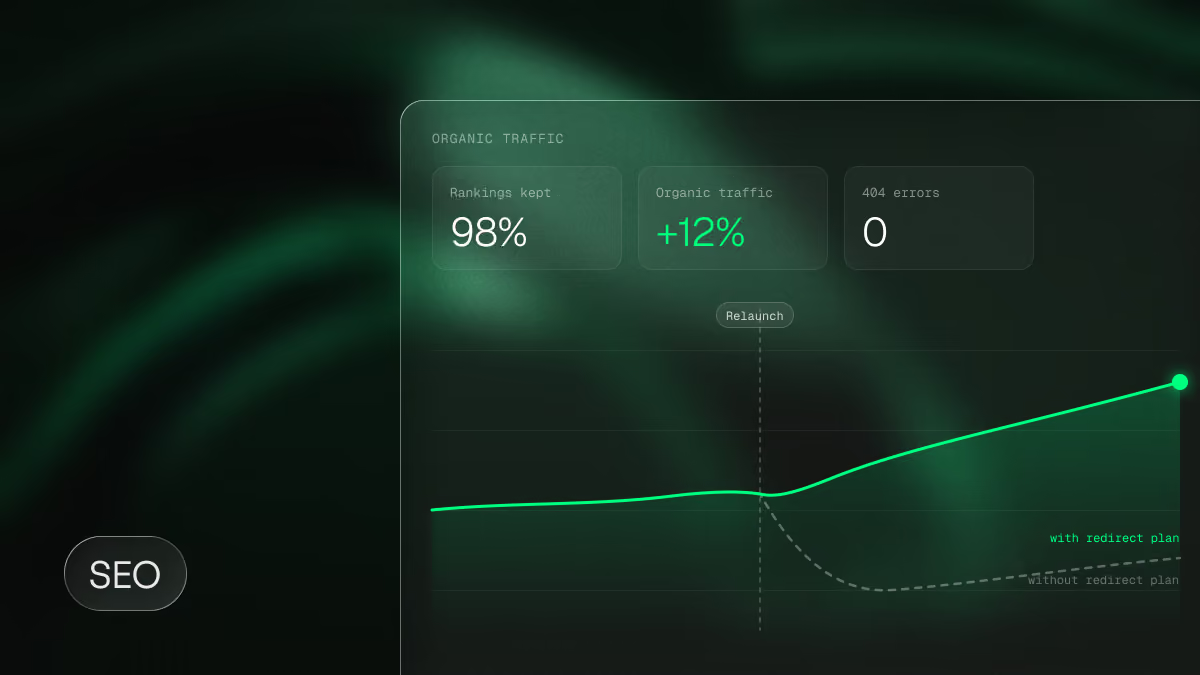
- Redirects and SEO: Every old URL gets a 301 redirect to its new target; meta data and structured data are carried over. Our guide to a website relaunch without losing SEO explains what matters.
- Launch and measurement: After go-live, compare rankings, traffic and leads with the previous state and fix deviations early.
Content migration is underestimated almost every time. Content that was built in the old system as individual pages with different structures has to be moved into a uniform CMS template. Agree before the project starts who carries that effort. Our TYPO3 to Webflow migration guide shows what a platform switch looks like in practice; the steps apply to HubSpot just the same.
Settle the platform before the relaunch starts
Growably is a Webflow agency for B2B SaaS, a Webflow Premium Partner with Enterprise status, and has supported more than 120 software companies with their websites. In most of these projects, HubSpot stays the CRM and Webflow becomes the website. We connect the two so that your team builds pages itself afterwards and every lead arrives in the CRM with its source.
In a strategy call, we look at your setup and tell you honestly whether a switch is worth it or whether HubSpot CMS remains the better choice for you. You'll find how a Webflow website relaunch with Growably works on our relaunch page, or book a strategy call directly.
Frequently asked questions about Webflow vs HubSpot
Is Webflow enterprise-ready?
Yes. Webflow Enterprise offers SSO with SCIM provisioning, SOC 2 Type II certification, custom roles, page branching, publishing workflows, an audit log API and a 99.99% uptime SLA. Companies such as Docusign, Lattice and Fivetran run their websites on Webflow Enterprise.
Can I keep HubSpot as my CRM if the website runs on Webflow?
Yes, it's the most common combination among B2B SaaS companies. Forms, tracking code and campaign sources are passed to HubSpot; contacts, workflows and reporting stay in HubSpot. The data flow is set up once and tested before launch.
How much does HubSpot Content Hub Enterprise cost?
At list price, 1,500 USD per month billed annually, including 5 core seats. Additional core seats cost 75 USD per month. With 15 editors you're at around 27,000 USD per year, before implementation.
How much does Webflow Enterprise cost?
Webflow Enterprise has no public list price. It is negotiated individually and depends on sites, seats, bandwidth, CMS volume and add-ons. You can get a quote from Webflow directly or through an Enterprise partner.
Do we need Marketing Hub if the website runs on Webflow?
A HubSpot account is enough for forms into the CRM. You need Marketing Hub for automation such as email sequences, lead scoring and campaign reporting, whichever platform the website runs on.
Is Webflow or HubSpot CMS better for SEO?
Both provide the technical foundation: custom meta data, redirects, sitemaps, clean URLs and fast hosting through a CDN. Rankings are decided by content, site structure and internal linking. More important than the platform is how quickly your team can publish new pages. Our overview of SEO settings and tools in Webflow shows what Webflow brings for this.
How long does a move from HubSpot CMS to Webflow take?
A relaunch on Webflow usually takes two to four months, depending on the number of pages, content migration and integrations. In enterprise projects, Webflow's security review comes on top and should run in parallel with design.
Which CMS suits many landing pages and several languages?
For a growing software company with many campaign landing pages and several languages, we usually recommend Webflow with a component system and Localize. Your team builds new landing pages from approved building blocks itself, and translations run in the same system. HubSpot is the better choice if landing pages are tightly tied to email campaigns and smart content, or if you need a lot of languages without extra cost. Framer suits smaller websites with little CMS content.
What are the disadvantages of HubSpot CMS?
HubSpot CMS is tied to themes and modules; custom layouts and new building blocks need HubL development. Costs rise with every core seat, and features such as teams, approvals and multi-domain only come with Enterprise. On top of that comes lock-in: if you change CRM later, you have to migrate the website too.
What are the alternatives to Webflow and HubSpot CMS?
WordPress, TYPO3 and headless CMSs such as Storyblok are also frequently compared. Our Webflow vs WordPress comparison shows how Webflow stacks up against the most widely used system. For very content-heavy websites with their own development team, a headless CMS can be the better fit.

No one ever regretted planning
a website project “too early”.
80% of the project requests we receive wouldn’t be urgent if marketing booked that call with us a few weeks earlier. Enough time for scoping, consulting & good decisions.